The very handy up-to-date social media image size guide
Welcome to our guide to the various image sizes you need to optimise your various social channels.
Welcome to our guide to the various image sizes you need to optimise your various social channels.
Welcome to our guide to the various image sizes you need to optimise your various social channels.
All of the sizes here are in pixels (width x height), and we’ll keep this updated regularly whenever there’s change to a channel’s image guidelines. We’ll write the date of the last update at the top of the article just so you can be sure.
This is by no means exhaustive, and I’ve had to check numerous guidelines (both from the networks and third-parties) as well as using ‘inspect element’. Please let me know any mistakes or anything you think we need to add. This is very much a work in progress. I just thought I’d get the ball rolling to start.
In no particular order, here are Twitter, Facebook, Instagram, Google+, Pinterest, LinkedIn and YouTube.
Header image: 1500 x 500 (maximum file size 5MB)
Profile image: 400 x 400 (displays at 200 x 200, maximum file size 2MB)
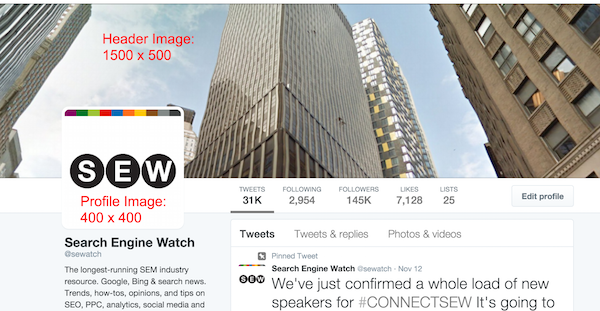
In-stream photo: 440 x 220 (but can expand to 1024 x 512)
Twitter accepts GIF, JPEG, and PNG files
Photos can be up to 5MB. Animated GIFs can be up to 3MB

Profile Picture: 180 x 180 (displays 160 x 160 on desktop, 140 x 140 on smartphones)
Cover Photo: 851 x 315 (displays 640 x 360 pixels on smartphones)

Shared image and link: 1200 x 630

Profile Picture: 77 x 77 (appears as a circular image)
Photo Thumbnails: 238 x 238
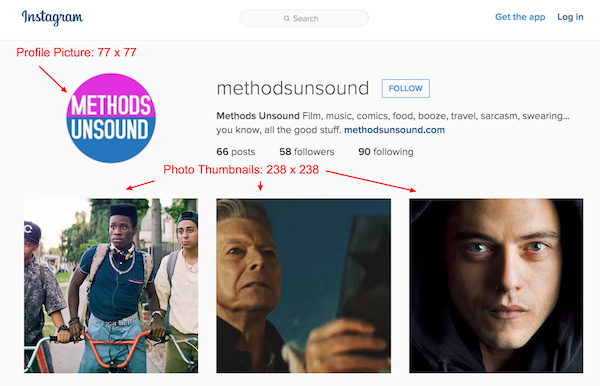
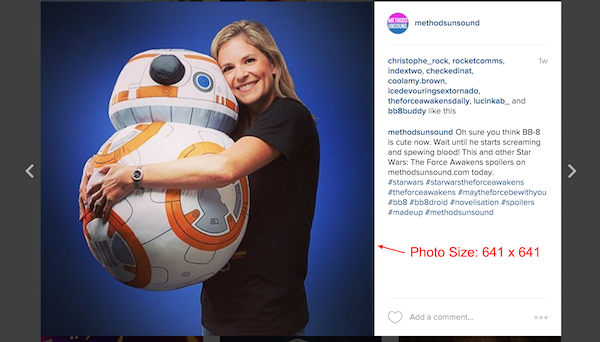
Photo Size: 641 x 641
Google+
Profile photo: 250 x 250 (maximum file size 100MB)
Cover photo: 1080 x 608 (this is ‘recommended”, although the smallest photo you can choose is 480 x 270, the largest photo is 2120 x 1192.)

Profile picture: 60 x 60
Board display: 216 x 146
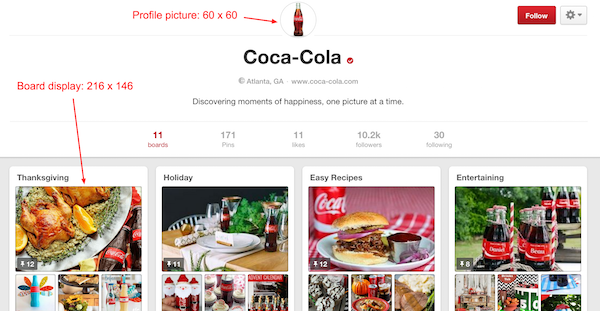
Pins appear in boards with a maximum width of 236, with the height scaled.
Expanded pins have a minimum width of 600, with the height scaled.
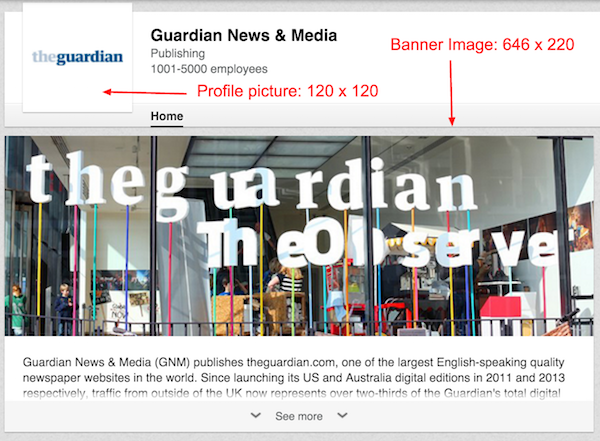
Profile picture: 120 x 120
Banner Image: 646 x 220
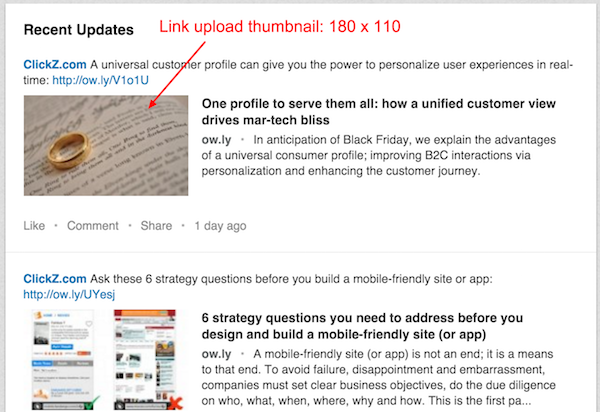
Link upload thumbnail: 180 x 110
Image upload: maximum width is 35o with the height scaled to fit.
YouTube
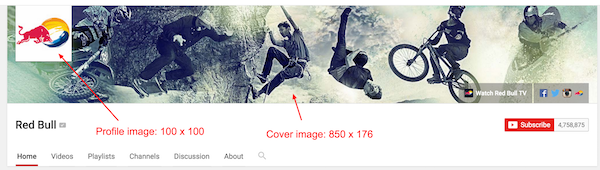
Profile image: 100 x 100 (this is automatically pulled from Google+)
Cover image: 850 x 176
Thanks for putting this together. There are a bewildering array of ‘guidelines’ out there for all of these and it’s difficult to be sure of the right ones to follow. It would be good to include the image sizes for actually posting content on LinkedIn company pages as I see those are not listed. This is a platform that can be quite difficult to upload the right size image for so some guidelines for it would perhaps be quite popular.
Yes, great idea thank you. Will update soon!
Very glad to finally have a comprehensive and up-to-date guide on this – much appreciated!